Every page.Every party.One executed copy each.
Drop in the final agreement. Execute prepares the signature pages, sorts the signed pages and stamp papers as they come back, flags anything missing or wrong, and assembles one complete executed copy for every party. All of it in your browser.
- Runs in your browser
- Nothing uploaded
- PDFs, scans and phone photos
- E-stamp papers
Why it exists
The last mile of every deal is still done by hand.
A twelve-party agreement means twelve sets of signature pages out and back. They return over days, from different cities, as scans, phone photos and PDFs, some with e-stamp papers and some without.
Someone has to match each page to its party, notice what hasn't come back, check every stamp paper, and put together a complete copy for everyone. It's slow and exacting, it usually happens late at night, and one misplaced page means doing it again.
Execute does that part.
How it works
From the final to executed copies in four steps.
- 01
Add the final agreement
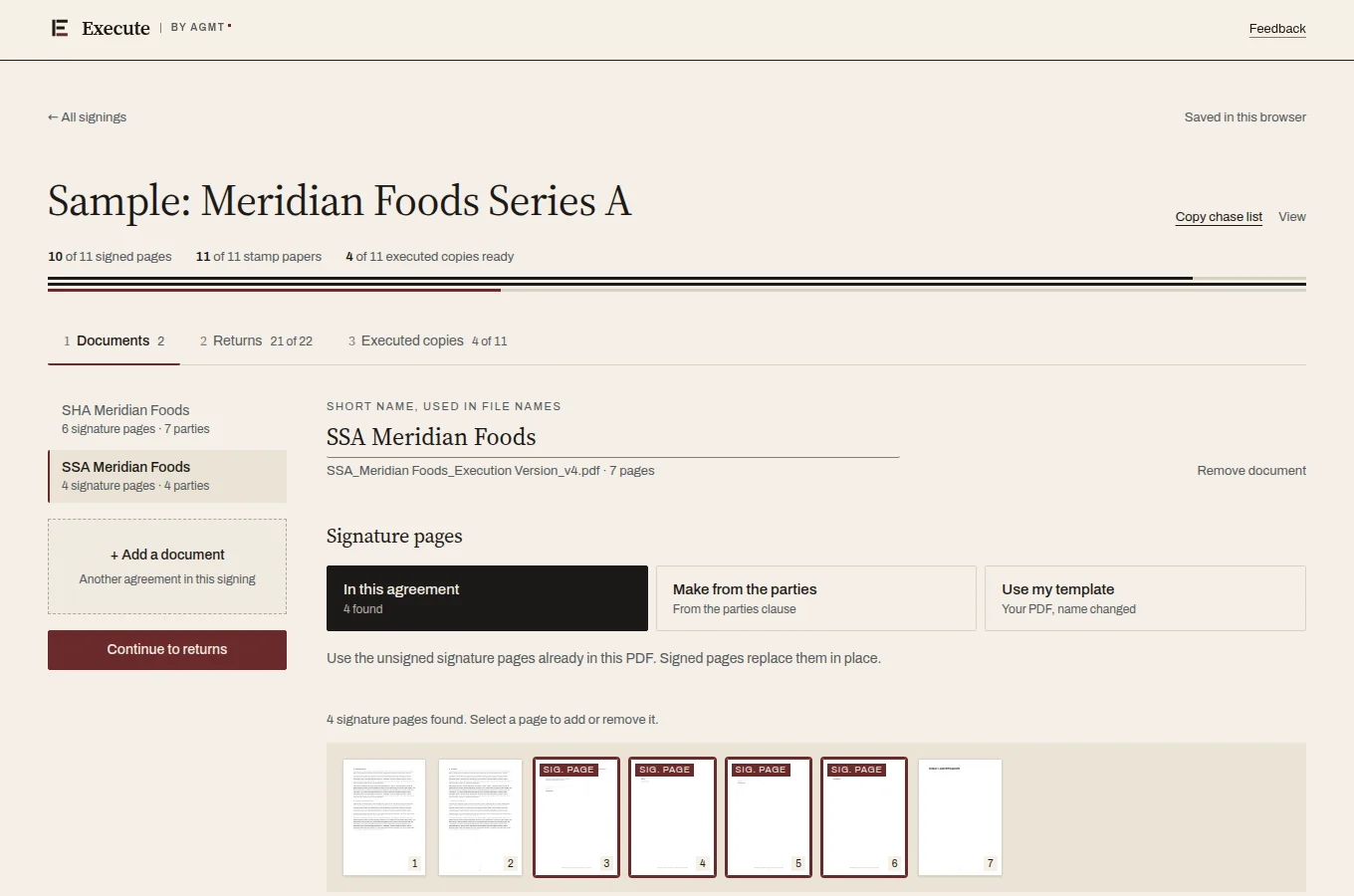
Drop in the execution version as a PDF. Execute finds the unsigned signature pages and who signs each. A deal with several agreements goes in one signing.
- 02
Send out signature pages
Download one PDF per party, taken from the final itself, so the pages match it exactly.
- 03
Drop in the returns
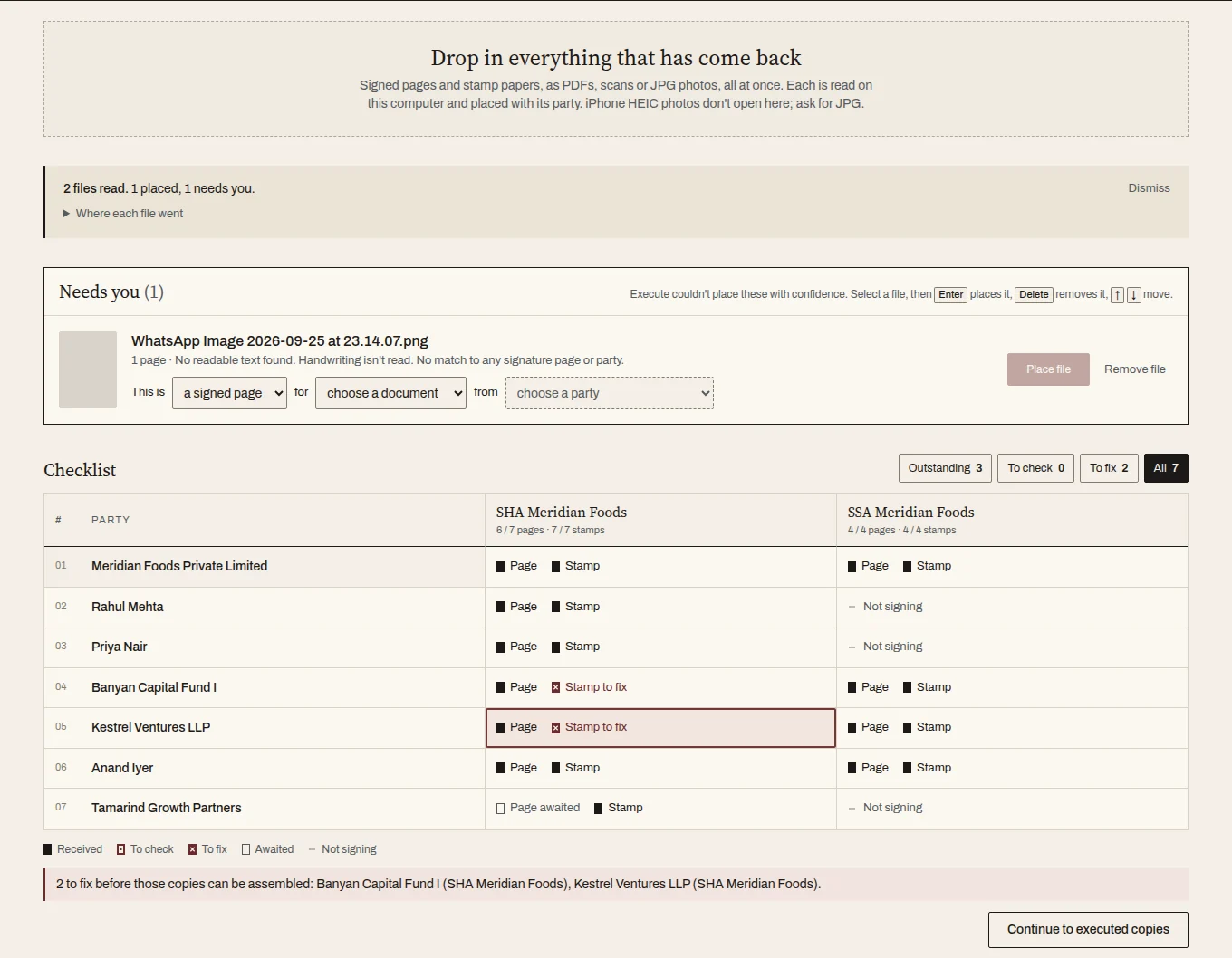
Signed pages and stamp papers, as PDFs, scans or phone photos, all at once or as they arrive. Each is read on your computer and placed with its party.
- 04
Download executed copies
One complete PDF per party, stamp paper in front, zipped with a closing index.
Signature pages
Whatever state the final is in.
Some finals come with signature pages, some don't, and some firms have their own. Execute works with all three, chosen per document.
Execute finds the unsigned signature pages already in the final. Signed pages replace them in place.
Execute reads the parties clause, following references like “the persons listed in Part A of Schedule 1” into the schedule. You confirm the list and each party's signing block, and it makes one page per party.
Upload your own signature page as a PDF. Execute copies it for each party and changes only the name, in the same place and style. The sample name is removed from the page's text, not painted over.
Checks
It notices what you'd hate to miss.
- A return that hasn't come backEvery awaited page stays on the list until it arrives, with a chase list you can copy.
- A stamp paper in another party's nameEach e-stamp certificate is read and matched to the party it names.
- The same certificate used twiceOne certificate number on two copies is flagged. Each copy needs its own.
- A page that doesn't read like the finalA returned page from the wrong document, or the wrong page, is flagged for you to check.
What you get back
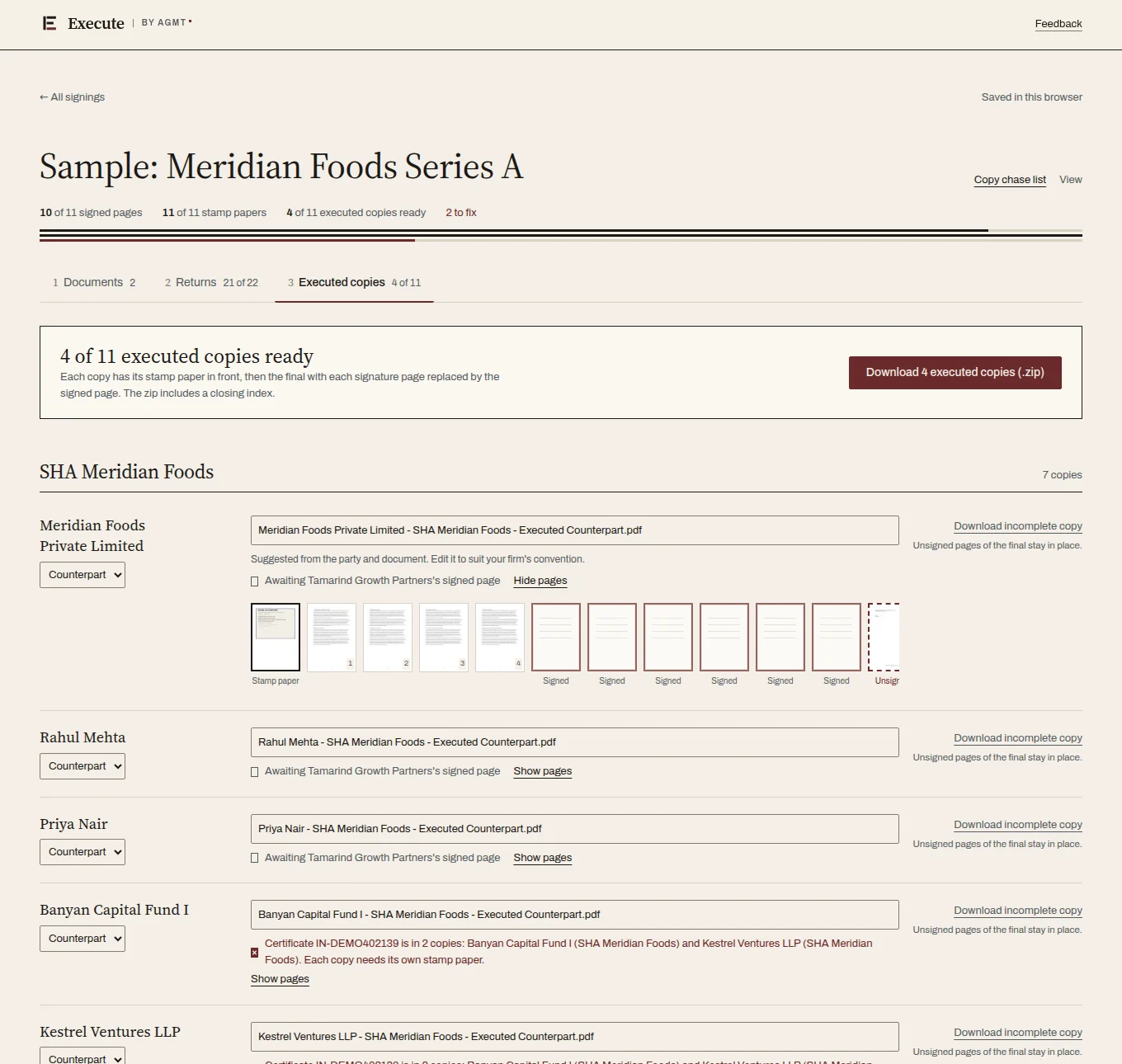
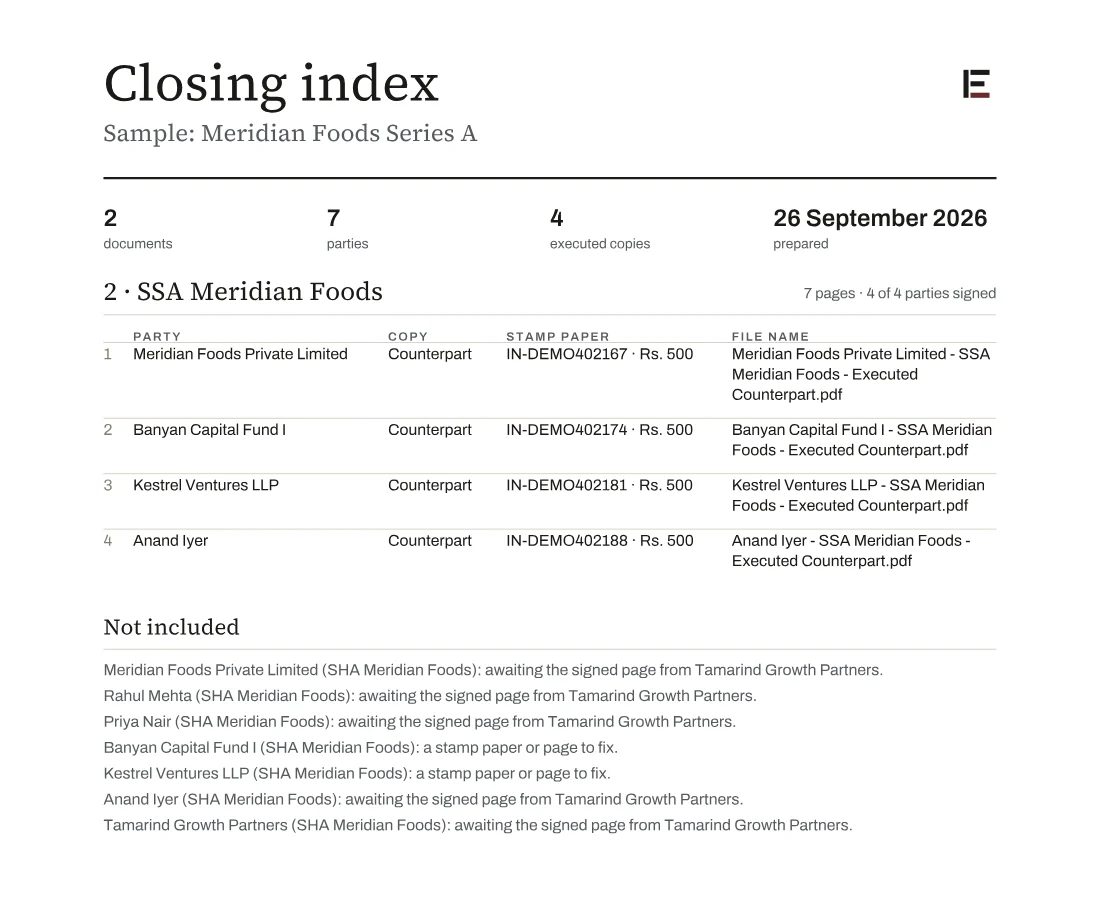
One PDF per party. A closing index for the file.
Each executed copy has its stamp paper in front, then the final with every signature page replaced by the signed one. Pages Execute made go at the end, after the schedules. The zip includes a closing index of every copy, party and stamp certificate.
Your documents
Your documents never leave your computer.
Execute runs entirely in your browser. Final agreements, signed returns and stamp papers are read, sorted and assembled on your own computer. No document, file name or page text is ever sent to Agmt.
Read on your machine
PDFs are read in the browser. Scans and phone photos are read by text recognition that runs on your computer.
Saved on this computer only
Signings are kept in this browser's storage, so you can close the tab and carry on later. Clearing the site's data removes them.
No AI model
Explicit rules and on-device text recognition. Deterministic, explainable, and never inventing a name.
No Agmt mark
Signature pages Execute makes carry no Agmt name or mark, visible or in the file's metadata.
In the beta
What it doesn't do yet.
You should know a tool's limits before you rely on it. These are Execute's today.
- The final agreement must be a PDF. For a scanned final with no text, you mark the signature pages yourself.
- Text in scans and photos is read in English. Handwriting isn't read; typed names and headings are.
- “Doesn't read like the final” catches the wrong page or document, not a single changed word.
- iPhone HEIC photos don't open in Chrome or Edge. JPG and PDF work.
- A signing lives in one browser on one computer. There's no sync or sharing yet.
- Tested in Chrome and Edge. Safari and Firefox aren't verified yet.
Questions
Asked before signing up.
How do I get access?
Are my documents uploaded anywhere?
Does Execute use AI?
Does it handle e-stamp papers?
What happens to a file Execute can't place?
Can my team work on the same signing?
Your next signing, sorted.
Ask for access with your name and email. Once you're approved, you'll get an email to set up your account, and you can start with the built-in sample.